Follow a job as it moves through Dispatch.

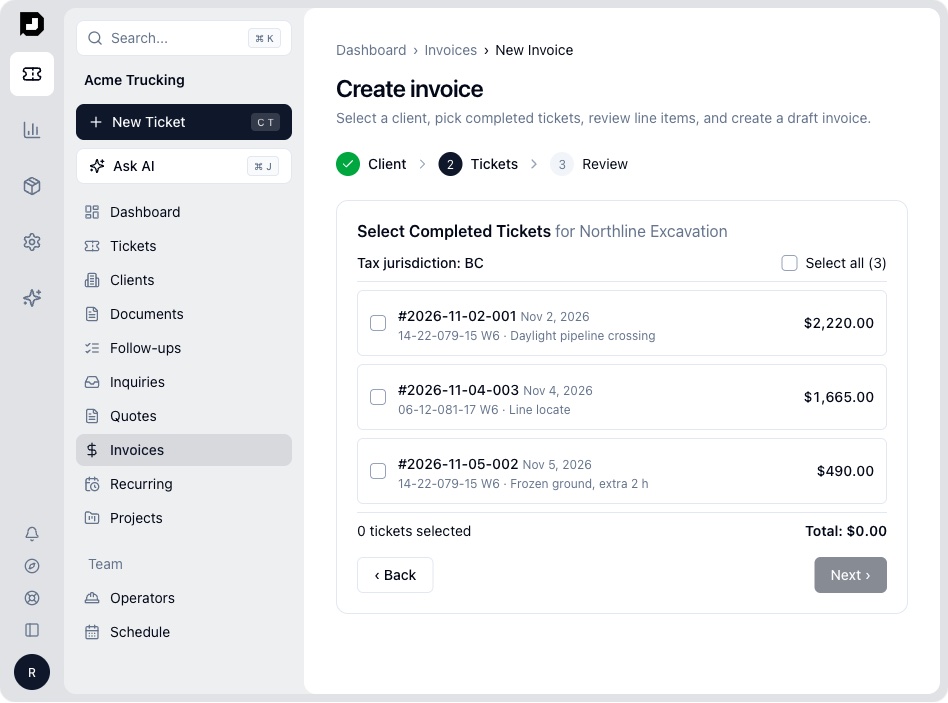
A job goes through four parts: winning the work, running the job, getting paid and knowing your numbers. Everything below is in the plan unless it is marked Add-on or Enterprise.

1. Win the work

Inquiries come in by phone, text, email and the website, and some never get answered.
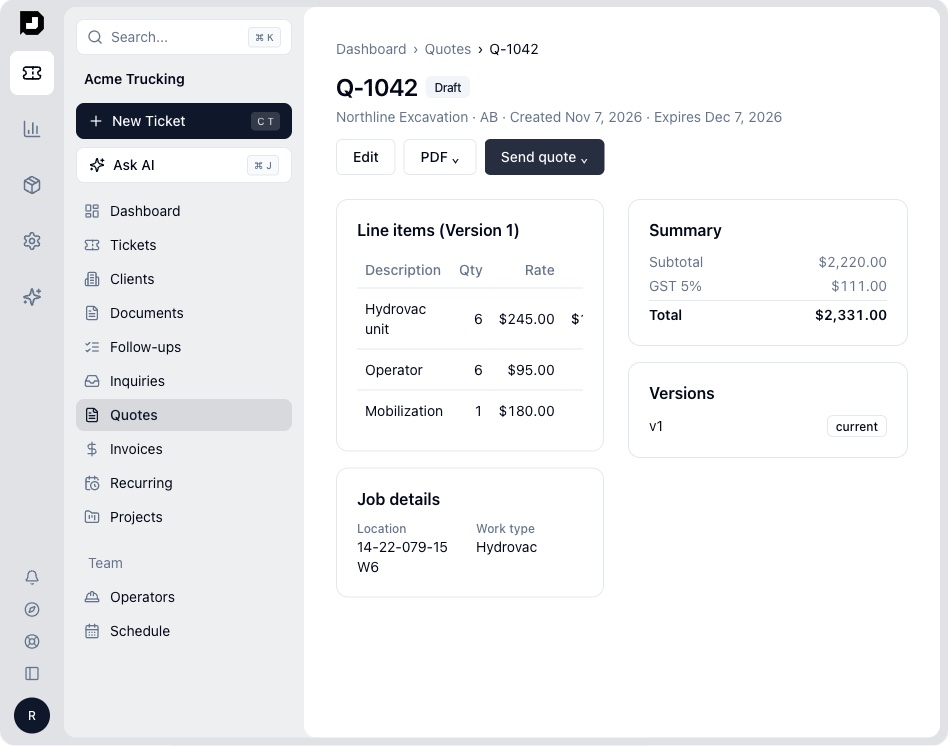
A Dispatch quote with line items, tax and a send button
  • Inquiries in one inbox Add-on

    Requests from your website and your email show up in the same inbox.

  • Quotes from your own rates

    Quotes use your catalog and each client's pricing, with GST, HST, PST or QST worked out for you. Customers accept and sign from a link.

    More on quotes
  • Clients and rates

    Each client's pricing is stored once, so nobody quotes from an old copy of the spreadsheet.

  • AI quote drafts Add-on

    AI reads the request and drafts the quote from your rates. You review it before it goes out.

  • Feedback and reviews Add-on

    Ask for a review once the job is done.

No mark: in the planAdd-on: optional, extra monthly cost
2. Run the job

The schedule lives on a whiteboard and the details live in a group text.

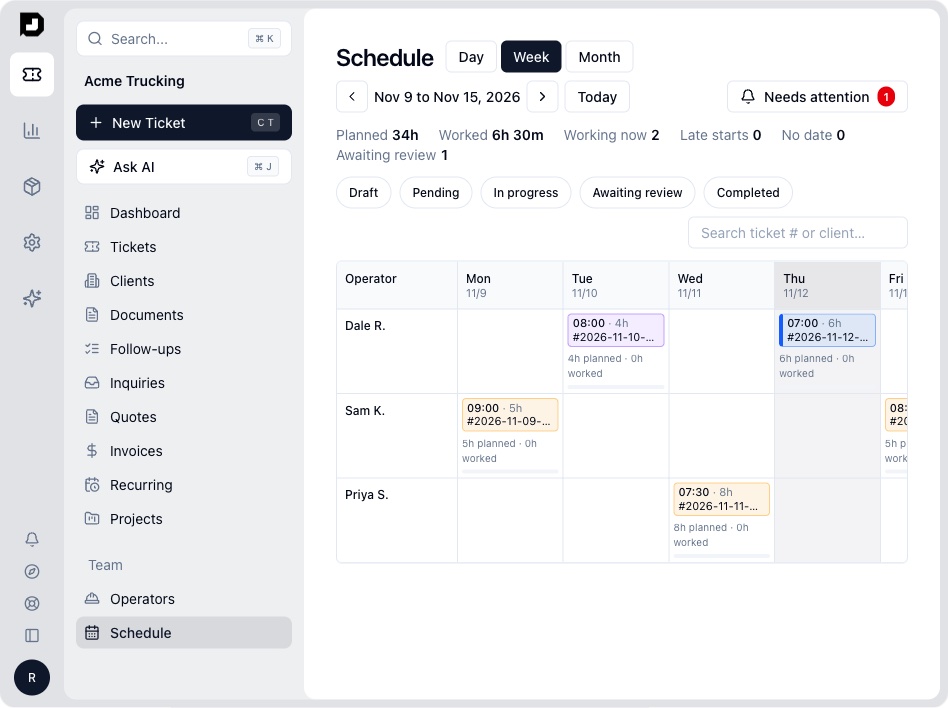
The Dispatch week schedule with jobs by operator
  • Scheduling board

    Switch between day, week and month views. Drag a job onto a unit or operator to assign it.

    More on scheduling
  • Crew phone access

    Crews open a link to log status, hours and photos from the field. They don't need to install an app or remember a password.

  • Change orders

    Extra work gets signed on site and lands on the job before you bill it.

  • Land locations (DLS)

    Enter an LSD and your crew gets a map pin.

    More on DLS locations
  • Bookings, projects, crew hours and job cost Add-on

    Take online bookings, run multi-day projects, and track payroll hours along with the cost of each job.

No mark: in the planAdd-on: optional, extra monthly cost
4. Know your numbers

You find out a job lost money after it is paid, if at all.

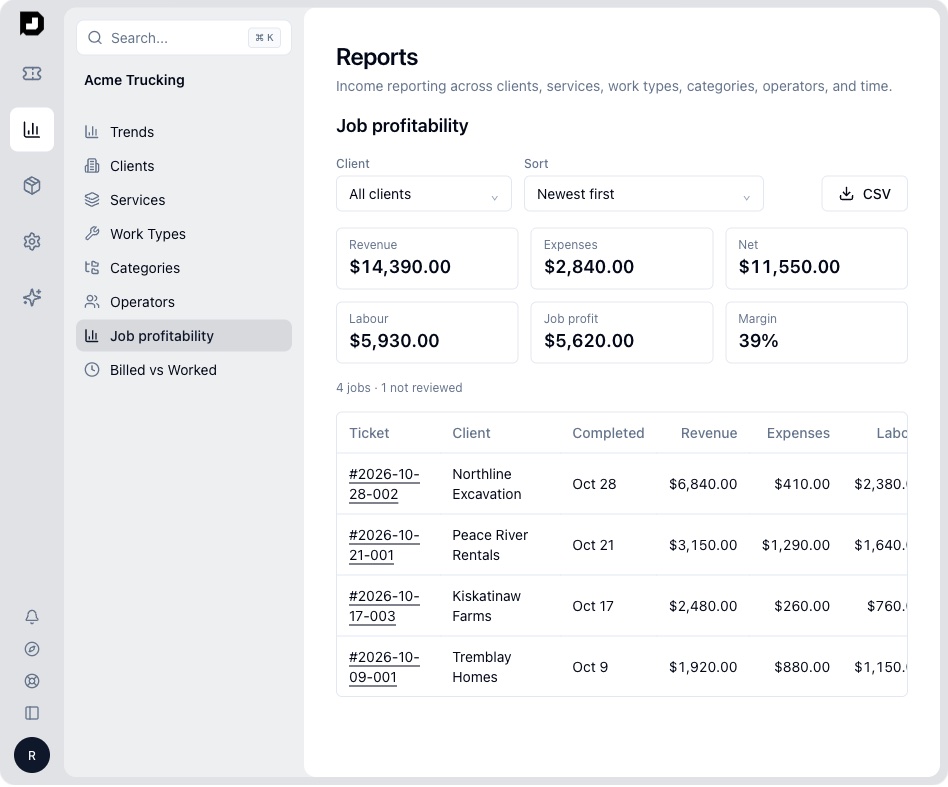
The Dispatch job profitability report
  • Morning briefing

    Each morning you see today's jobs, gaps in the schedule and what got paid overnight.

  • Profit by job

    See which jobs and which clients are underbilled.

  • Audit trail

    See who changed what, and when.

  • Ask AI Add-on

    Ask in plain words, like "Unpaid invoices over 30 days for Northline."

  • AI assistants and API Enterprise

    Connect your own AI assistant or other software to Dispatch.

  • Accounting

    Clean invoice data goes to QuickBooks Online, QuickBooks Desktop, Xero, Sage, FreshBooks, Wave and Zoho Books.

No mark: in the planAdd-on: optional, extra monthly costEnterprise: annual contract

  • If you can send a text, you can use it.

    You get a list of jobs. Open one, deal with it, and move on to the next. Your crew opens a link on their phone. There's no app to install and no password to remember.

  • We move your data for you.

    We bring your clients, rates and price lists over from your spreadsheets. Most shops run real jobs in a day or two.

  • Your price is locked for 12 months.

    You pay $150 a month for the whole team. We don't take a percentage of your revenue or charge per invoice.

FAQs

Still have questions?

Can't find your answer? Book a 20-minute call.

What is in the plan and what costs extra?

Everything on this page is in the plan unless it is marked Add-on or Enterprise. See Pricing for the full list.

Do I need to be good with computers?

No. If you can send a text, you can use Dispatch.

Will my crews actually use it?

They open a link on their phone. There's no app to download and no password to forget.

Do I have to give up my accounting software?

No. Your books stay where they are. Dispatch sends clean invoice data to QuickBooks Online, QuickBooks Desktop, Xero, Sage, FreshBooks, Wave and Zoho Books.

What does the AI do with my data?

It only reads what you give it, to fill in a search, ticket or quote. We never use your data to train AI models, and nothing gets sent until you click.

Who will I actually talk to?

You'll talk to Romeo, the founder, here in Dawson Creek. We don't use a call centre.

Can I try it first?

Yes. Book a 20-minute call and we'll set up a free trial with your own jobs and rates. There's no contract.

Bring a week of tickets and we'll show them to you in Dispatch.

Book a 20-minute call. We'll load a few of your real jobs and rates, so the business on the screen is yours.

Book a 20-minute call